Settings & branding
Your data and deleting your account
Download everything you have in Quotera as one Excel file, any time. If you ever leave, you can delete your account; it's deleted 15 days later, and you can change your mind until then.
2 min read · 3 steps
Step 1
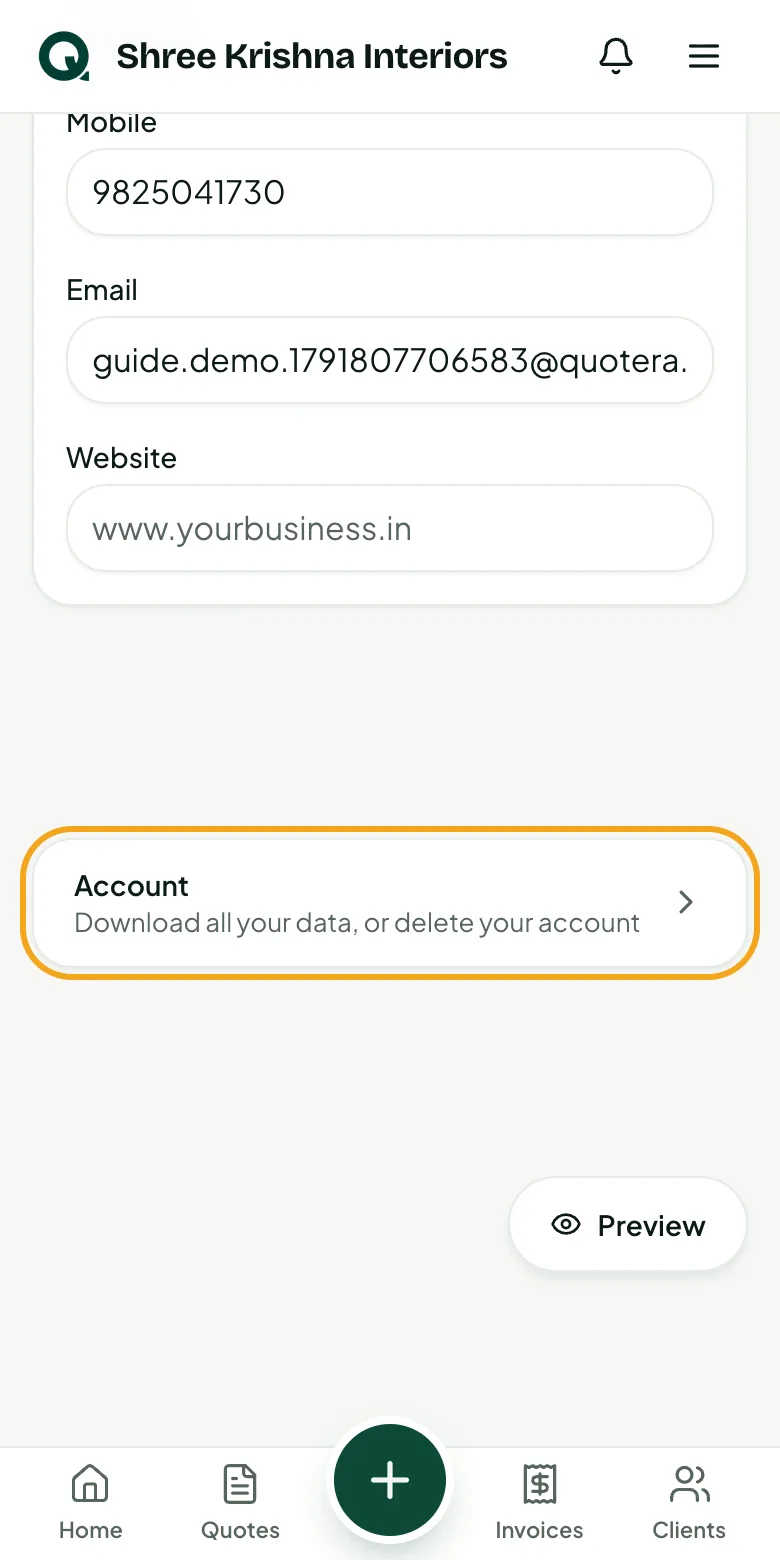
Open Account
Account is at the foot of Settings.
- 1Open “Settings”
- 2Scroll down and tap “Account”
Step 2
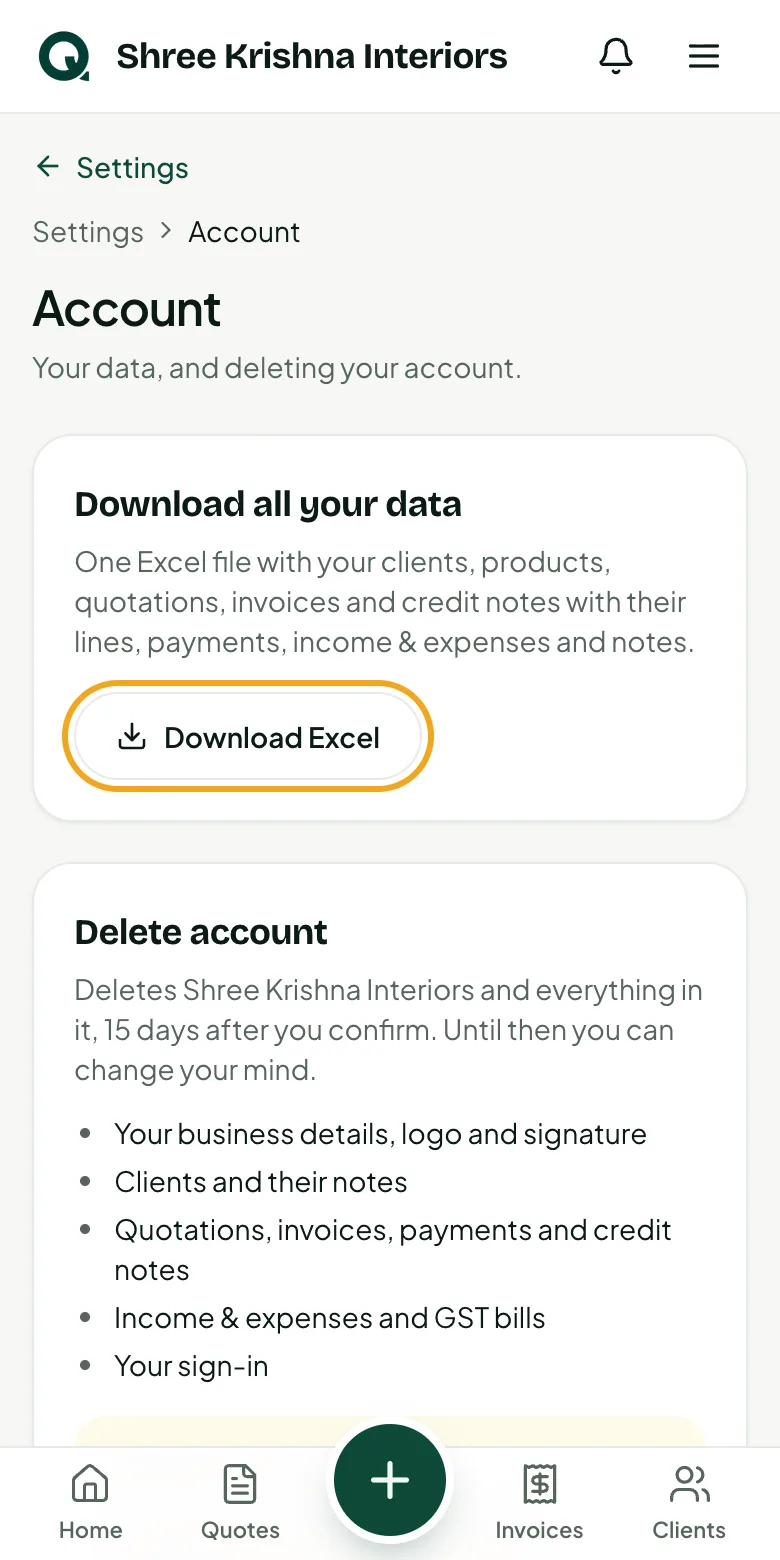
Download all your data
One Excel file with your clients, products, quotations, invoices and credit notes with their lines, payments, income & expenses and notes.
- 1Tap “Download Excel”
Tip: GST records (invoices, credit notes, payments) must be kept for six years. Keep this file safe.
Step 3
Delete your account
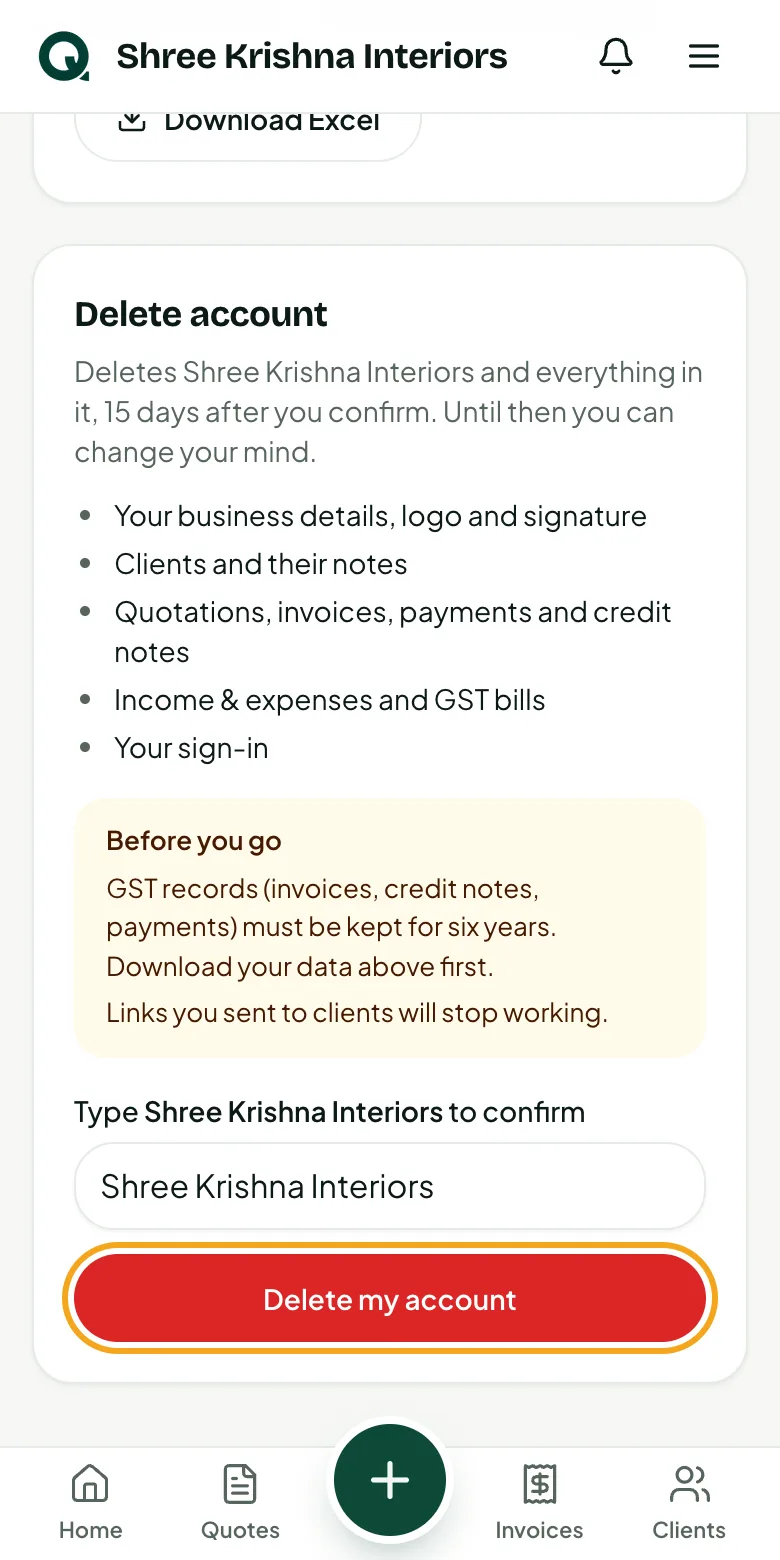
Only the owner can. Type your business name to confirm. Everything is deleted 15 days later; until then everything works, and every page shows the date.
- 1Type your business name
- 2Tap “Delete my account”
- 3Changed your mind? Tap “Keep my account” any time before the date
Tip: Links you've sent to clients stop working once the account is deleted.
Common questions
Can I get my data back after deletion?
No. Once the 15 days pass, it's gone for good. Download your data first.
Does deleting cancel invoices I've sent?
It deletes them from Quotera, and their links stop working. Your GST filings aren't changed; keep the Excel file for your records.