

Dashboard
Your dashboard
See collected revenue, pending dues, and shortcuts to create documents.
3 min readBeginner
What you'll learn
- Filter by month or year
- Outstanding from invoices
- Quick action buttons
1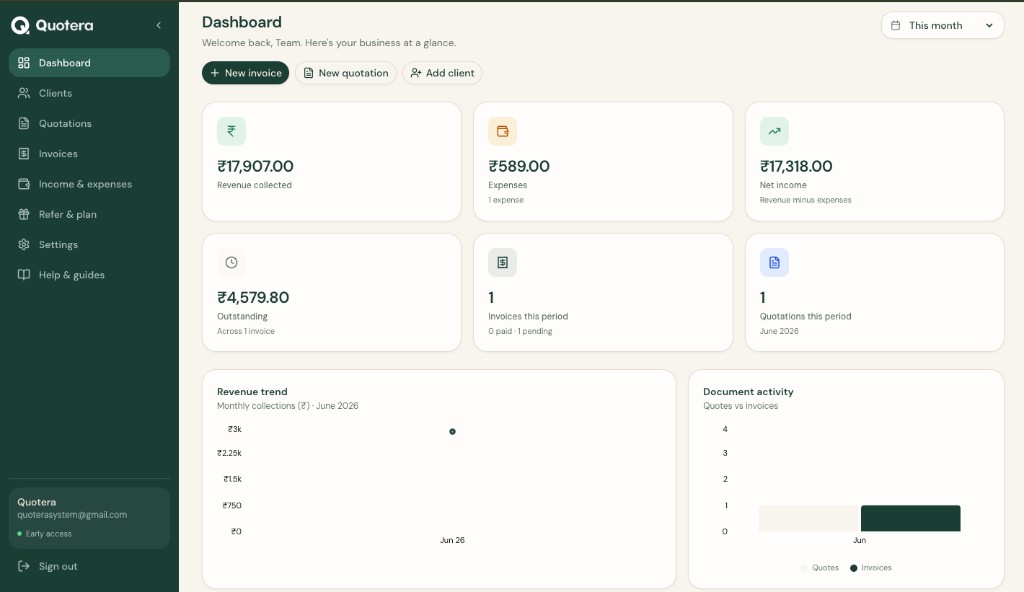
Dashboard revenue cards and quick actions
Open Dashboard
Click Dashboard in the menu. Cards show collected revenue and pending dues.
2
Change period
Use the filter at the top to switch between this month, last month, or the year.
3
Quick actions
Use the buttons to start a new invoice, quotation, or client without extra clicks.
Related guides
Common questions
Where does data come from?
From payments on invoices and income entries. A snapshot for follow-up, not full accounting.