Products & rates
Products, services and rates
Save what you sell with your usual rate. Quotes then fill in the rate for you, and you can still change it on any quote.
2 min read · 2 steps
Step 1
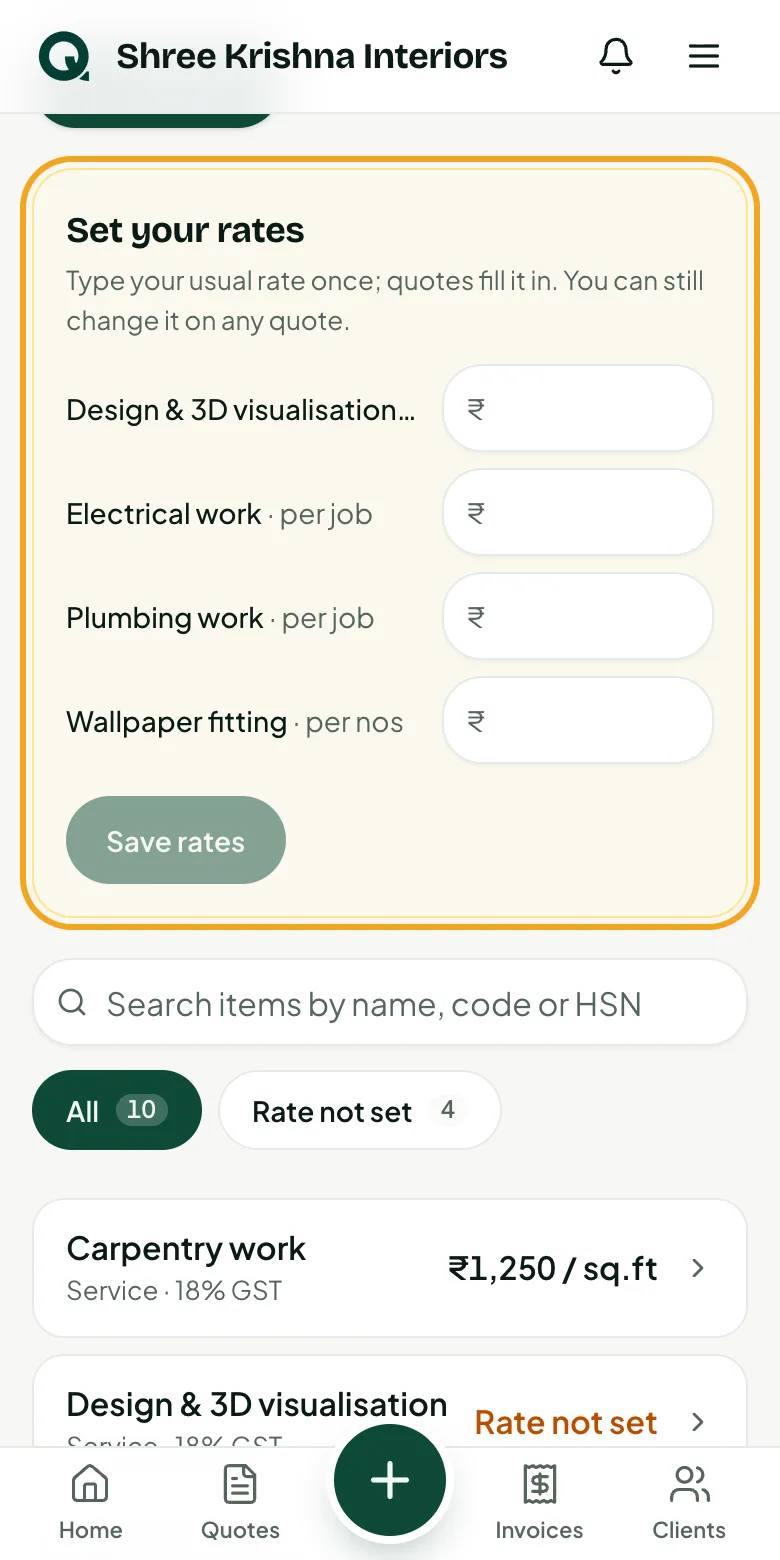
Set your rates once
Items from setup have no rate. The “Set your rates” card lists them so you can fill in many at once.
- 1Open the menu, then “Products & services”
- 2Type your rate next to each item
- 3Tap “Save rates”
Tip: Leave a rate empty if it changes every job; you'll type it on each quote.
Step 2
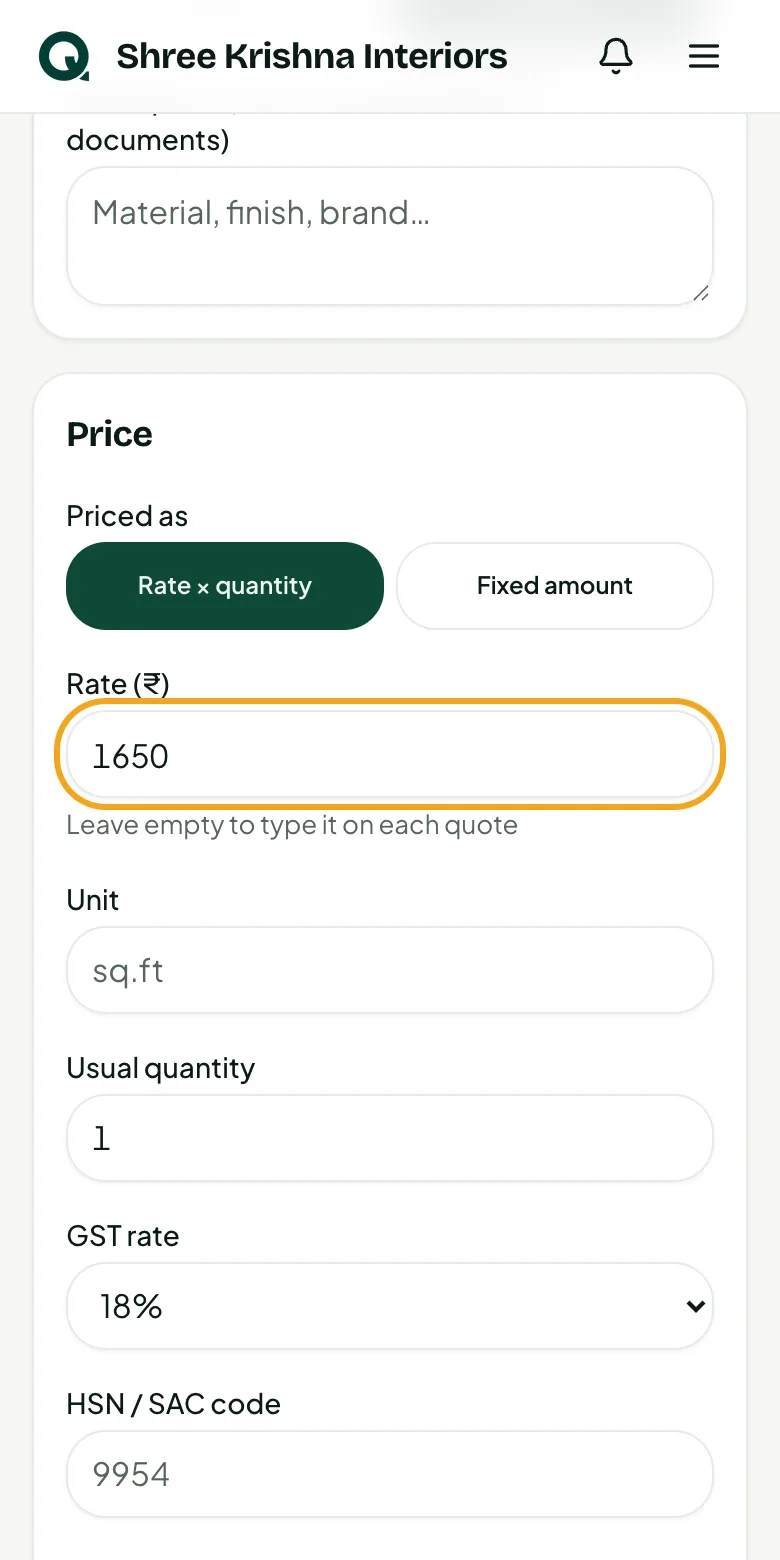
Add an item
Add anything you quote often: a service, material or package.
- 1Tap “Add item” and type the name
- 2Choose “Rate × quantity” or “Fixed amount”
- 3Type your rate, unit and GST rate
- 4Add the HSN/SAC code if you use one, then tap “Add item”
Common questions
Will changing a rate change old quotes?
No. Sent quotes and invoices keep the rate they were made with.
How do I hide an item I no longer offer?
Open it and untick “Show in the item list on quotations and invoices”.